Final Camera-Ready Manuscript Instructions
For conference authors, please first register and pay in full for the Author Full Conference Registration or Author Limited Conference Registration. Afterward, please follow the instructions below to prepare your final paper and upload it. As a reminder, one (1) registration can be used to upload only one (1) final paper on which you are an author.
Formatting checks are enforced in the submission phase for final manuscripts. Please allow extra time to fix any formatting errors and use PDF-eXpress to generate a compliant file. Your final paper is planned to be included in IEEEXplore for archival value after the conference. However, IEEE reserves the right to exclude an acceptance paper from inclusion in IEEEXplore if it is not presented at the conference.
Step-by-Step Instructions
Step 1: Prepare Your Paper
Prepare your paper in the IEEE double-column format using the IEEE Conference Proceeding templates.
For IEEEtran class in LaTeX, use the following as the first line in your LaTeX source file:
\documentclass[conference]{IEEEtran}
Note: With IEEE conferences, the author affiliation is listed under the author's name, unlike IEEE transactions.
Step 2: Formatting Requirements
- Any page numbering
- Headers or footers
- Copyright information (will be added by IEEE)
Step 3: IEEE PDF eXpress
Go to the IEEE PDF eXpress Website and follow these steps:
Create Account
Create an IEEE PDF eXpress account (use conference ID: 67567X)
Use 'Create account' if you haven't used this site before.
Complete your user profile
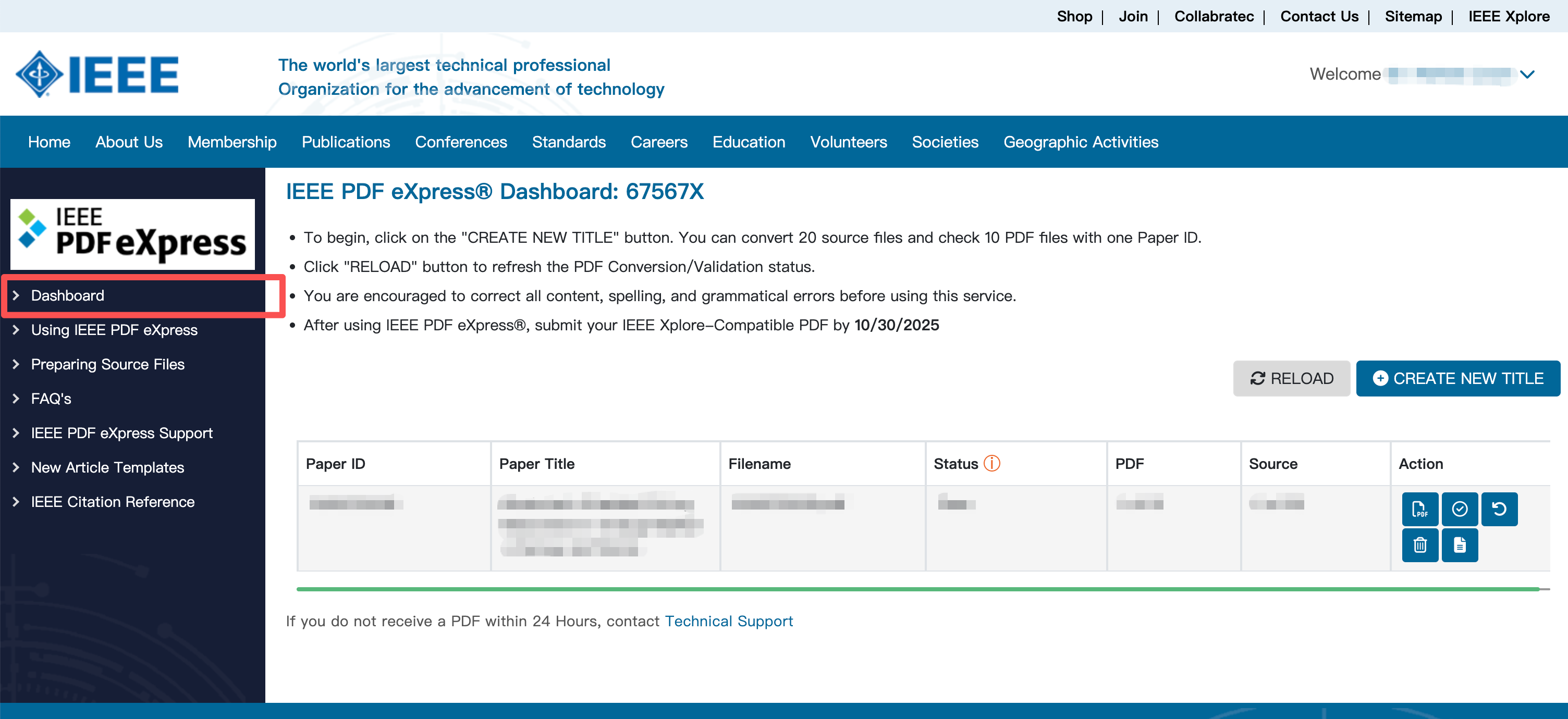
After your first login of the IEEE PDF eXpress system, please complete your user profile. Then, you can find “Dashboard” button on the left side.
Create a new title
Click “CREATE NEW TITLE” and follow the steps to use IEEE PDF eXpress to check that your PDF file is Xplore-compliant, OR, else, you can use this site to convert your source files into an IEEE Xplore-compliant PDF file.
Download PDF
Download the generated PDF file of your paper.
IEEE PDF eXpress Dashboard
Step 4: IEEE Copyright Agreement
To upload your final paper for inclusion in the CloudCom'25 proceedings, you need to sign the IEEE copyright at first. EasyChair is a vendor authorized by IEEE to handle copyright agreements.
Log in to EasyChair
Access your EasyChair account
Find Copyright Agreement
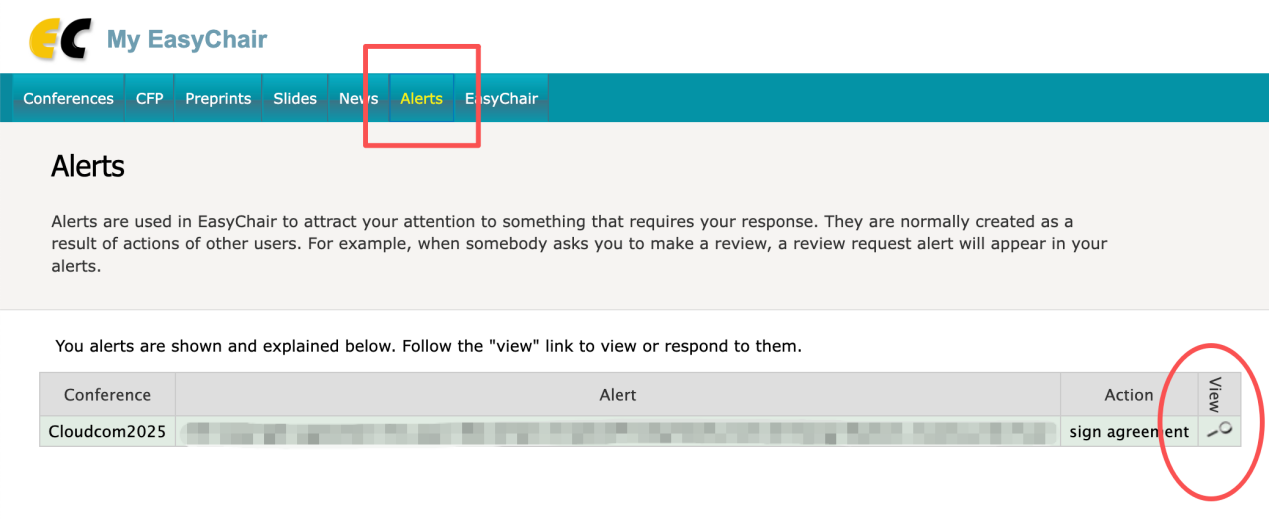
Click on "Alerts" in the main menu
Click the magnifier icon on the right side for "IEEE copyright agreement for paper XXX"
Sign Agreement
Complete the IEEE copyright agreement process
Finding Your Paper in Alerts
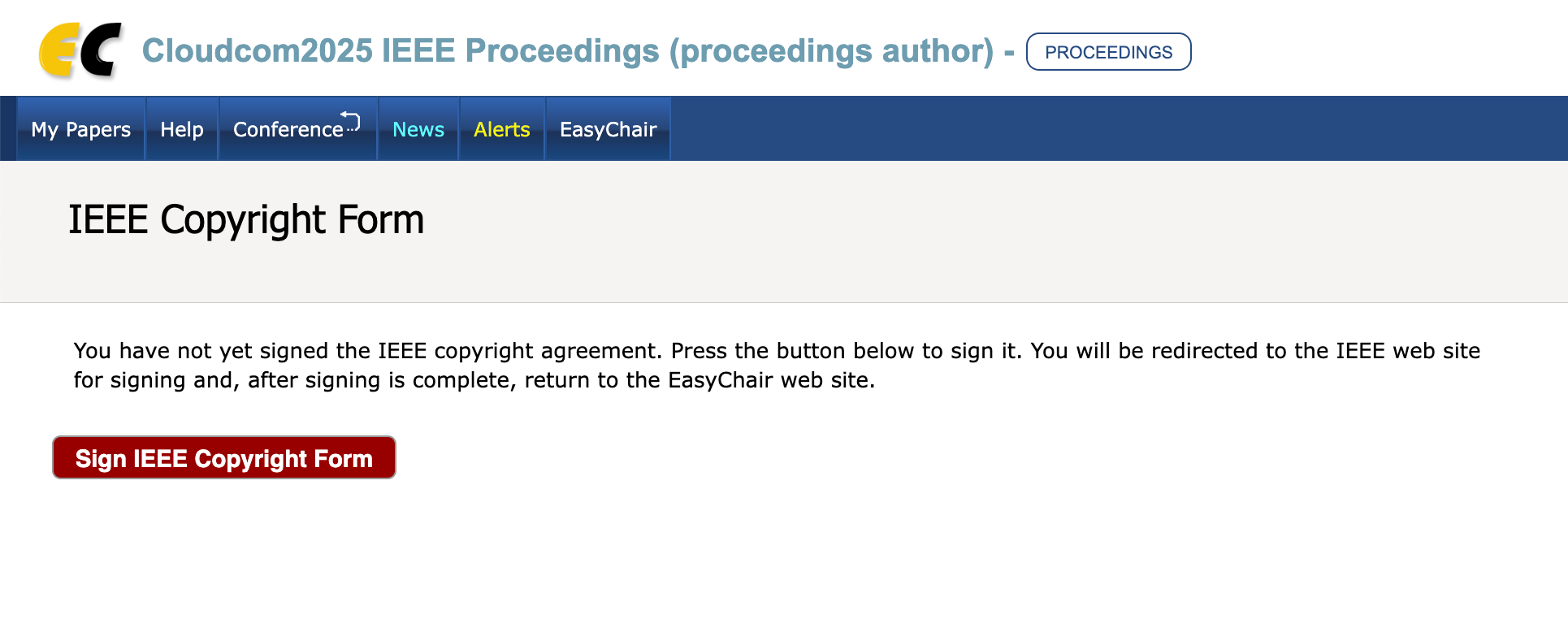
After that, you can sign the IEEE copyright for your submission:
IEEE Copyright Form
Step 5: Upload Final Version
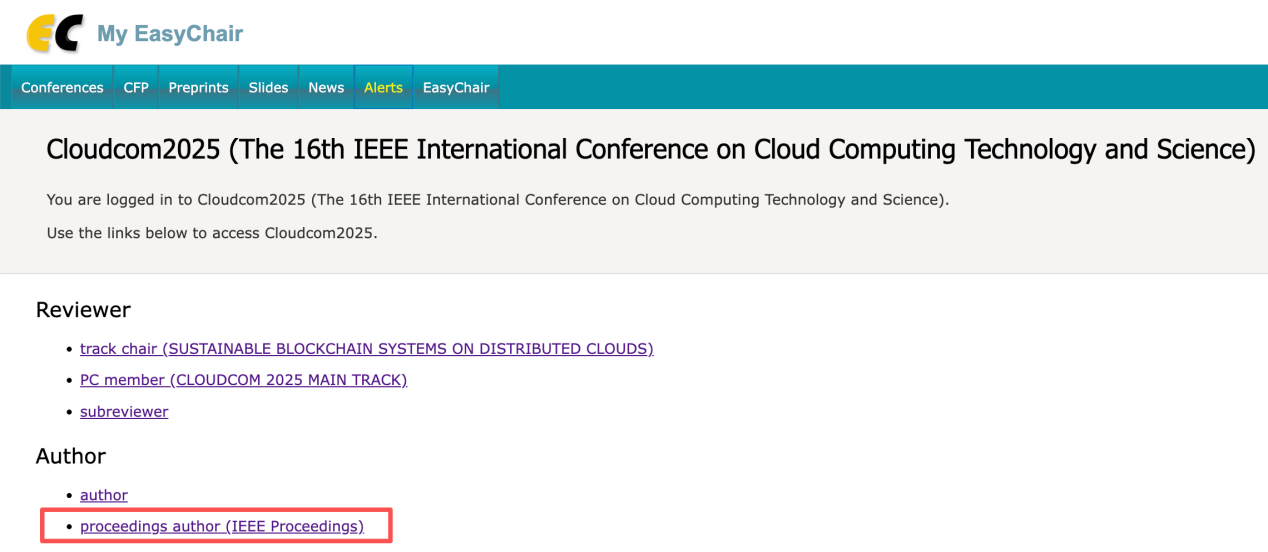
After the IEEE copyright agreement, you can find a new role as "proceedings author (IEEE Proceedings)" at EasyChair page:
Proceedings Author Role
You should upload the PDF file generated by IEEE PDF eXpress (see step 3), which is a compliant copy of your camera-ready paper, by clicking the "upload new version" button on the right side of each paper.
Upload Final Version
